
Adobe Premiere Pro 2024 v24.6.1 PR2024破解版下载与安装方法[亲测可用]
[亲测可用]Adobe Premiere Pro 2024 v24.6.1 PR2024破解版下载与安装方法
版本支持:64位
大小:1.67GB
系统:Win10、Win11
语言:中文版
安装方法
第1步
避免破解补丁被删除请退出杀毒软件。然后解压压缩包
双击安装程序Set-up.exe
双击安装程序Set-up.exe
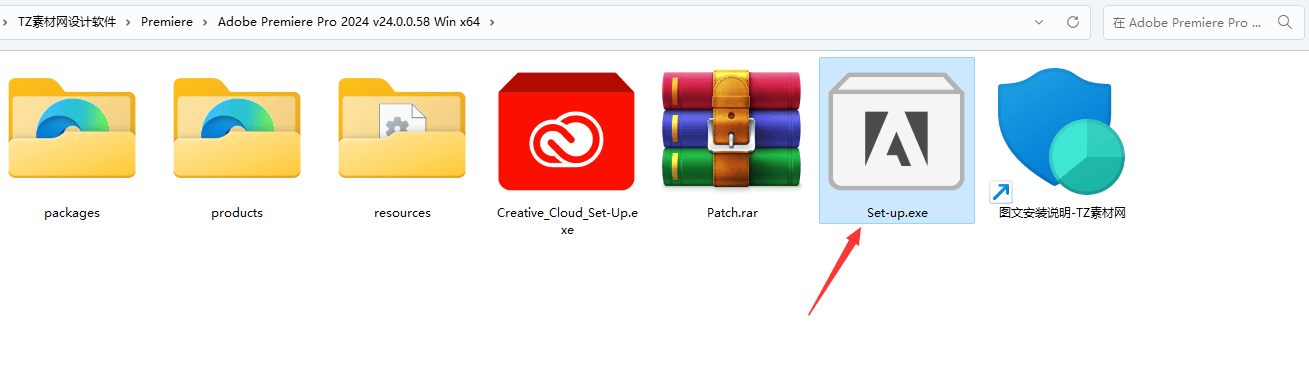
第2步
点击"继续"
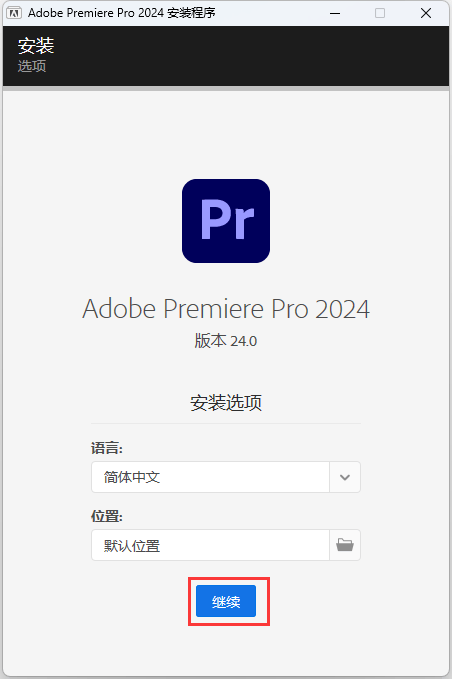
第3步
【耐心等待后】如下界面 点击 关闭
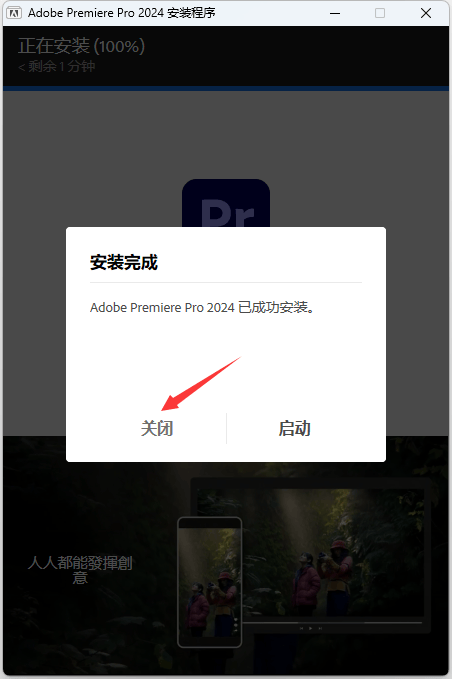
第4步
【退出杀毒软件解压Patch】
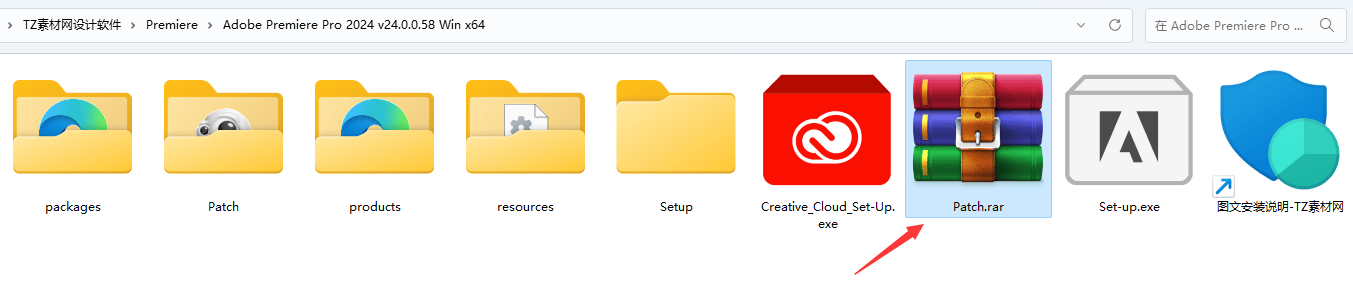
第5步
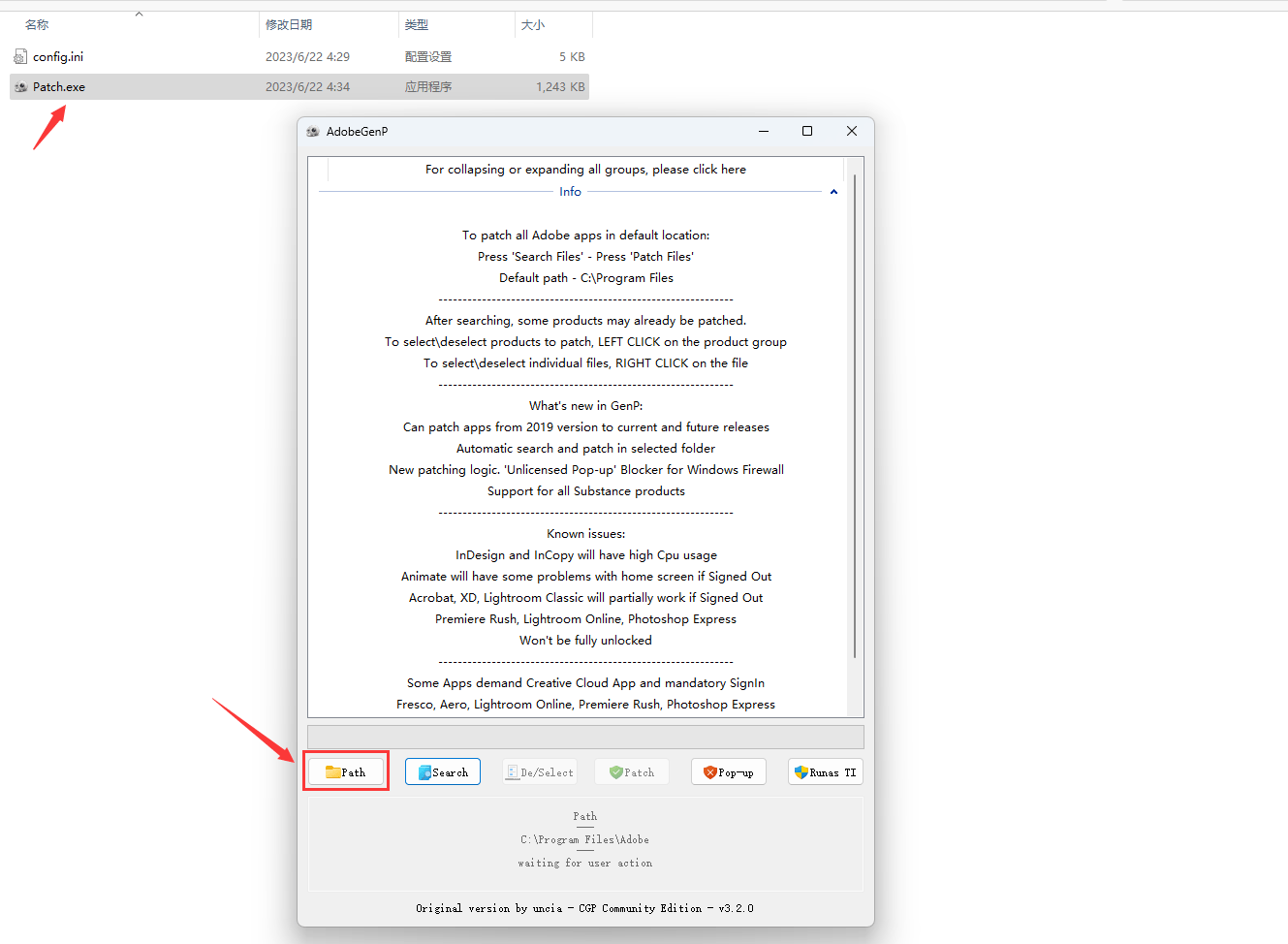
双击打开“Patch.exe”
点击如下图的Path
点击如下图的Path
第6步
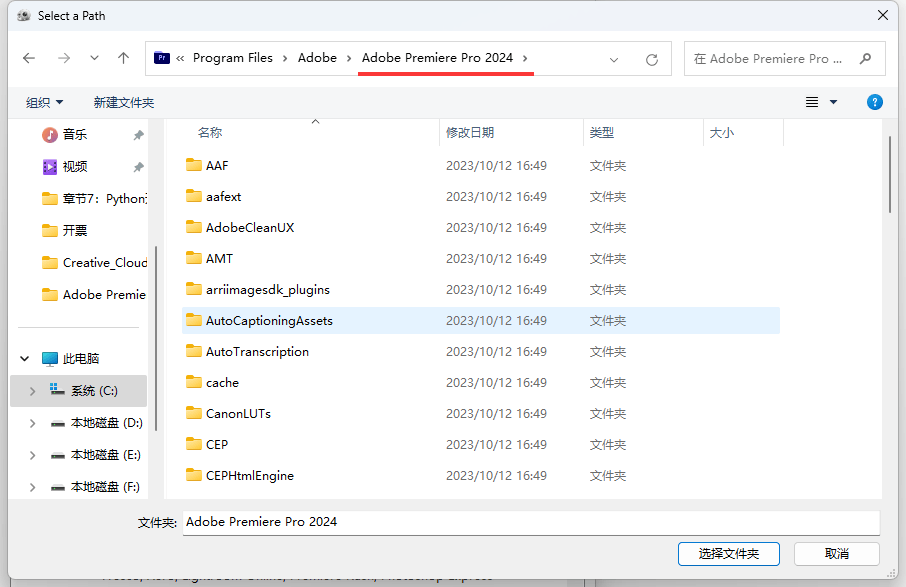
打开Adobe Premiere Pro 2024文件夹【即pr的安装位置】
第7步
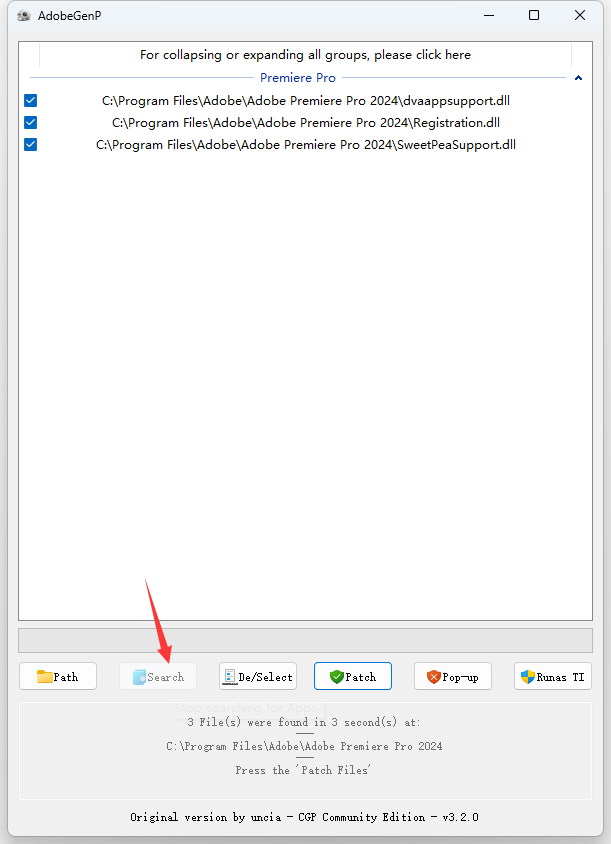
点击Search
第8步
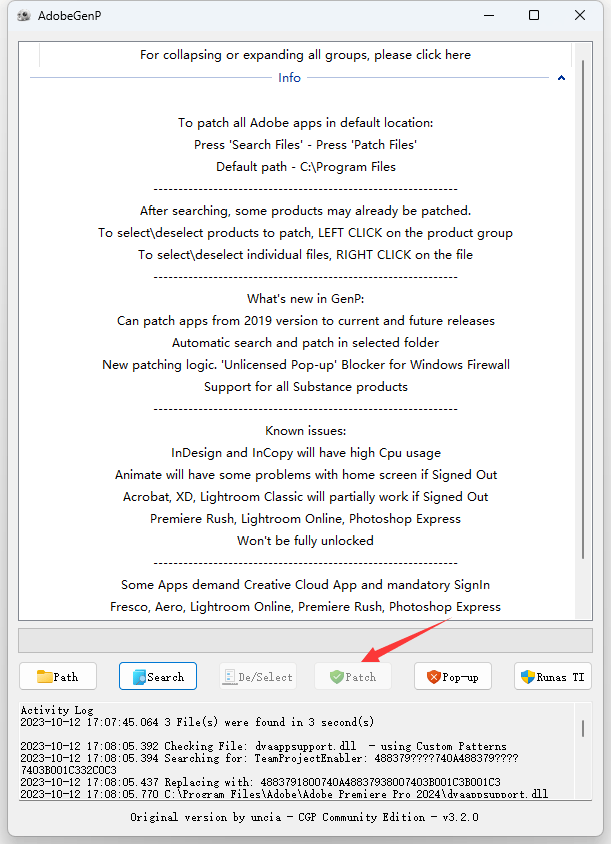
点击Patch
第9步
【完成了】
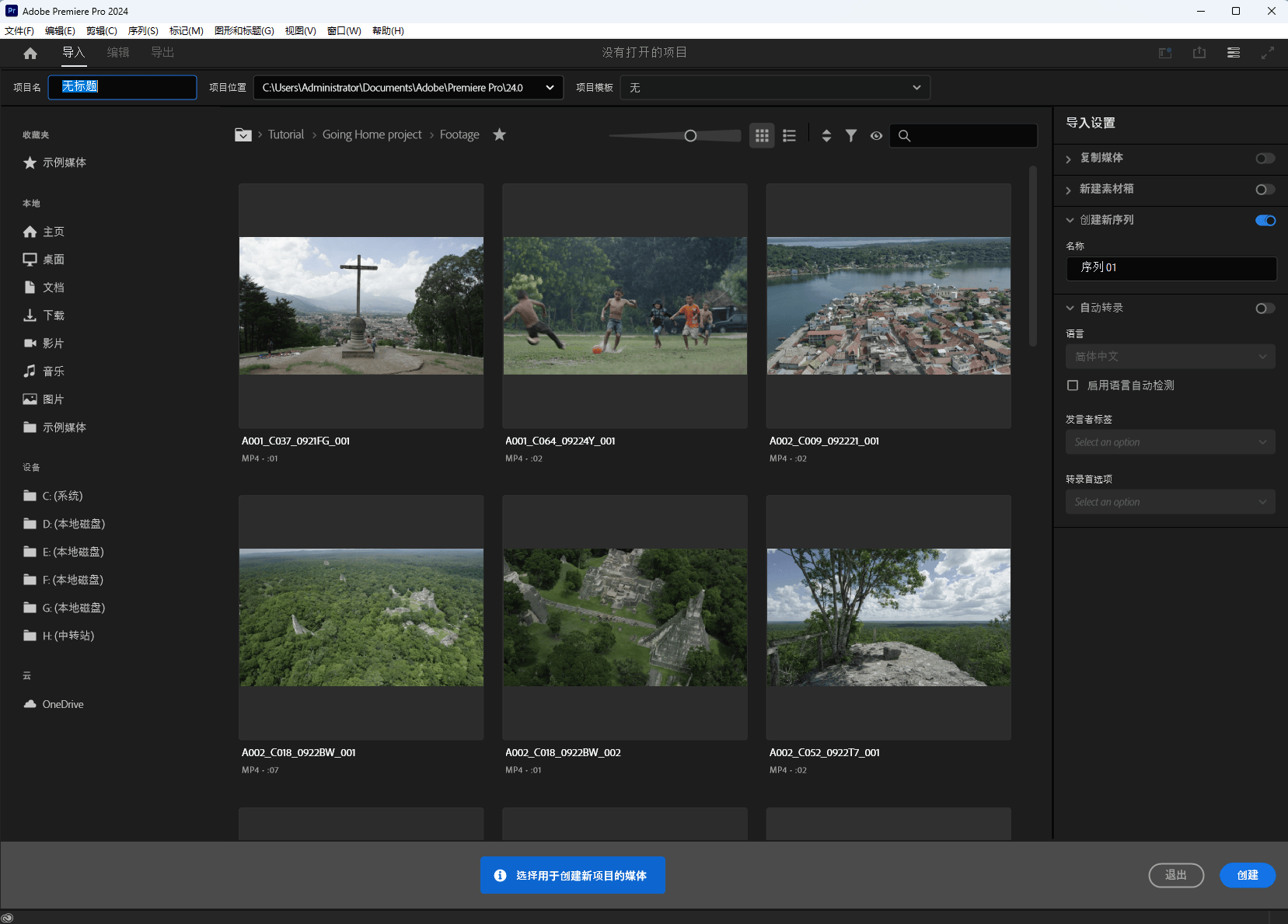
打开开始菜单里面的pr程序即可
打开开始菜单里面的pr程序即可
END